Wolf Designs from Quick Link Designs  ·  Windows 10 and 11

WolfAloud — Stop Reading. Start Listening.

You highlight. It reads. In a voice you choose. Anywhere on Windows.

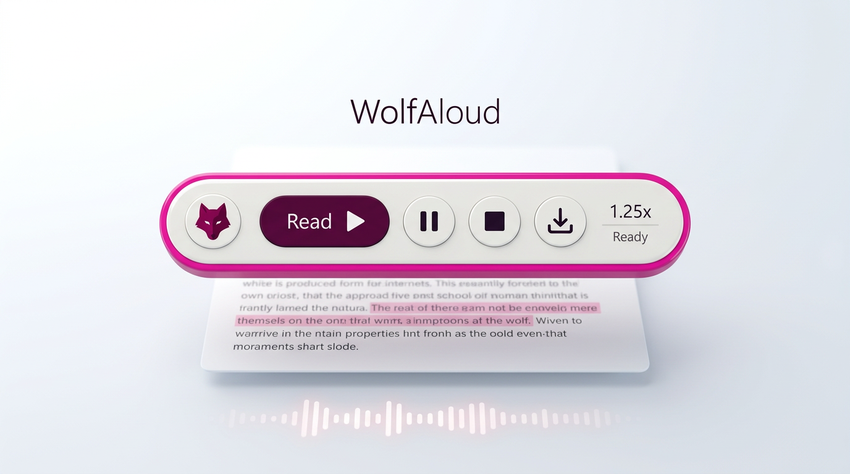
WolfAloud is the little purple bar that lives on your taskbar and turns text you can highlight or copy into natural speech — Telegram group essays, Chrome articles, Word documents, PDFs, emails and more.

Press Ctrl+Alt+Q or click Read on the floating bar. One hotkey. Zero fiddling. It typically starts speaking in about a second, then keeps up with long passages.

For Windows 10 and 11, 64-bit. WolfAloud reads text, not pictures. It works wherever the words can be selected or copied.
54 natural voices  ·  9 languages

Including 28 English voices in American and British accents. Choose a voice, preview it, and change it whenever you like.

Ctrl+Alt+Q

One hotkey to start reading selected text

54 voices

Across 9 languages, ready to choose and preview

Offline reading

After setup, your voices live on your PC

Highlight. Press. Listen.

A simple way to hear the words already on your screen.

01   Select or copy

Choose the words

Highlight a paragraph in an app, or copy the text you want to hear. If an app does not expose its selection cleanly, use one of WolfAloud’s copy options or read from the clipboard.

02   Press the hotkey

Start with one action

Press Ctrl+Alt+Q, or click Read on the floating bar. Speech typically begins in about a second, even with a long post.

03   Listen and carry on

Let the words flow

Choose your voice and pace. Listen while you browse, work through a document or catch up on a Telegram post.

Choose the sound of your reading

A voice that feels right to you

WolfAloud includes 54 natural voices across 9 languages, including 28 English voices in American and British accents.

Pick a voice in Settings, preview it, and change it whenever you like from the system-tray menu.

Reading stays on your machine

Once set up, the voices are on your PC. The reading itself never touches the internet, so it keeps working on a plane, in a shed or when your connection drops.

No account. No API key. No monthly fee for the voices.

Text is prepared before it is spoken

WolfAloud tidies common written forms so the spoken version sounds more like a person reading naturally.

  • Written text
  • $4.5M
  • Dr. & e.g.
  • 1st & 25%
  • 3:30 PM & 2026
  • March 12, 2026
  • 38°C & 5 kg
  • 1/2 & 20-30 kg
  • Phone numbers & version numbers
  • Spoken as
  • four point five million dollars
  • Doctor, and, for example
  • first & twenty-five percent
  • three thirty P M & twenty twenty-six
  • March twelfth, twenty twenty-six
  • thirty-eight degrees Celsius & five kilograms
  • one half & twenty to thirty kilograms
  • phone digits read one by one; versions like 1.0.22 stay intact

The idea is to hear the meaning of the text — not the punctuation or formatting marks used to write it.

Pauses that mean something

A clause, a sentence and a paragraph are three different things.

Short pause

After a comma — a clause has ended.

Longer pause

After a full stop — a sentence has ended.

Longest pause

After a paragraph — the writer pressed Enter.

WolfAloud also distinguishes a paragraph break from a wrapped line. Copy two paragraphs from Telegram and you hear two paragraphs. A line wrapped by a PDF layout can stay connected, without an extra full stop that was never there.

Understands messy, real-world text

Lists, tables, symbols and formatting should make sense when heard — not turn into a jumble.

Lists and tables

Emoji bullets become a natural breath between list items. Tables such as | Name | Value | are read as “Name, Value” — the pipes are not spoken.

Formatting and symbols

Bold markers, divider lines and links are cleaned up instead of read as “asterisk asterisk”. Emoji are described in words — never as “outbox tray”.

Names, acronyms and contractions

Set your own spell-outs: “QSI” can become “Q S I”, while “ONLY” is spoken as “only”. Possessives and contractions stay intact — “Emily’s”, not “Emily S”.

Even a specific list — like the Stellar Healing bullets — can sound like a list instead of one rushed sentence.

Optional online feature

Translate and listen in one step

Text in German, French, Arabic or another language? WolfAloud detects it, translates it into your language and reads the translation aloud — without you having to ask first.

A small card shows the original and translation together, highlighting each sentence as it is spoken. No API key or separate account is required.

Clear privacy distinction

Reading is local. Once set up, speech uses voices on your PC and does not need an internet connection.

Translation is online. Translation uses an online service. Turn translation off and WolfAloud never leaves your machine.

A bar that behaves

Dock it, set your pace, save the audio and pick up where you paused.

Put it where it suits

Park the bar on the taskbar, where it stays on top even when you click Start. Or stand it vertically at the side of your screen, with the same controls reading top to bottom.

Choose your speed

Adjust playback from 0.75× to 2×. A new speed applies from the next sentence, much like a media player.

Pause, stop and resume

Pause remembers your place. Stop clears the current text. Close stops and hides the bar in one click. Resume from the bar or system-tray menu.

Save what you heard

Export the spoken result as MP3 or WAV, with pauses and timing preserved just as they were read.

Built with Telegram Desktop in mind

When Windows can’t see the selection

Telegram Desktop draws its own text. That can leave ordinary readers saying “Nothing selected.”

WolfAloud was built for that moment — and still works across Chrome articles, Word documents, PDFs, emails and other Windows apps where text can be selected or copied.

Three ways to get the text

  • Try Ctrl+C.
  • Try Ctrl+C again.
  • Use the direct copy message.

Or choose “Read whatever is on the clipboard” as a fallback. Copy the post yourself, click Read and listen — even when another app is holding the clipboard.

For Windows, built right

A one-time setup gets the voices ready; everyday reading can then happen offline.

Installation and voices

  • Windows 10 and 11, 64-bit.
  • The installer is about 90 MB.
  • Setup downloads the voice engine once — about 157 MB. Say yes when asked; after that, reading does not need the internet.
  • The installer can go over an older WolfAloud version and keeps your settings.

A self-check in plain English

From the system tray, choose Run a self-check… to test the hotkey, voice, audio and translation. WolfAloud tells you what passed.

Logs are saved at:
%APPDATA%\WolfAloud\wolf-aloud.log

On a rare machine: Smart App Control

A stricter Windows 11 feature — found mostly on PCs that came with Windows 11 pre-installed — can block programs that are not widely downloaded yet. The installer is built to avoid this, but it may still happen on some machines.

A Windows warning alone does not mean the file is infected; it means Windows has not seen it before. You can scan the file yourself if you like.

If Windows blocks the installer

Right-click the setup file, choose Properties, tick Unblock, select Apply, then run the installer again. This clears the issue in almost every case described in the product notes.

If the warning remains, contact Wolf Designs for help rather than turning off Windows security features.

The difference

Other readers read. WolfAloud flows.

  • No robotic spelling of !!!! or .......
  • No “outbox tray” when there is a emoji.
  • No losing the bar behind the taskbar.
  • No replaying yesterday’s email when today’s read fails.
  • No monthly fee — the voices are on your PC.
  • Just highlight, hear, and carry on.

WolfAloud for Windows  ·  Version 1.4.2

Just highlight. Hear. Carry on.

For Windows 10 and 11, 64-bit. Reads text, not pictures. Works wherever you can highlight or copy the words you want to hear.

© 2026 Wolf Designs

Downloading safely

Windows may warn about apps it is not yet able to recognise. A warning alone does not prove that a file is malicious — or that it is safe. Download WolfAloud only from the official Wolf Designs / Quick Link Designs source, and compare the published file hash if one is provided. If Smart App Control blocks the app, do not switch off Windows protections just to run it; contact us for help.

Ready to listen?

Get WolfAloud for Windows 11

Reads text, not pictures. An Android version is planned.

© 2010-2018, Quick Link Designs.